
How to Make Stained Glass with a 3D Printer and Resin (Step-by-Step Guide)
7 Mar 2026

How to Make a Stained Glass Effect with 3D Printing and Resin
Always wanted a custom stained glass artwork but don’t have the patience or skills to cut real glass?
Good news. You can create a very similar effect using a 3D printer and resin.
In this tutorial I’ll show you how to create a stained glass style piece using a printed frame and coloured resin. The technique is surprisingly simple and avoids the biggest problem beginners run into: colors bleeding into each other.
Some photos in this guide come from two different sessions of the print I made but the process and results are exactly the same.
Materials
You don’t need much, but having the right materials helps a lot.
Core materials
- 3D printed frame (download a model or make your own)
- Plastic sheet (smooth base layer)
- Window texture sheet / window sticker film (This gives the final piece the real stained glass texture)
- Epoxy resin (preferably UV resistant epoxy resin so the colors don’t yellow over time).
- Transparent resin pigments or oil colors
- Mixing cups
- Pipette / dropper (A small pipette makes it much easier to fill the chambers without spilling resin)
Assembly
- 3M spray adhesive (temporary adhesive)
or - Hot glue gun
Safety
- Gloves
- Safety glasses
- Garbage bag or table protection
(I’ll link the exact materials I use below if you want to copy the setup.)
Step 1: Preparing the Drawing
You can find many drawings online that work for this technique, but I decided to make my own using a photo of my dog.

- Grab a photo of your subject.
- Open it in a photo editor.
- Trace the shapes to create an outline drawing.
You can use almost any software for this. I personally used Affinity, but free tools like Inkscape work great too.
Important rule: all lines must connect.
Each enclosed space becomes a resin chamber later.
If parts are floating (for example eyes or small shapes), they will not stay in place during pouring. If that happens you’ll need to glue them manually afterwards.
Once you are happy with the design:
- export it as SVG
- expand the paths if needed
- make sure scaling does not break the proportions

Step 2: Turning the SVG into a 3D Print
Open the SVG in your slicer.
I use Bambu Studio, but any slicer that supports SVG import should work.
Steps:
- Import the SVG
- Give it a small height
- Slice and print
Recommended settings:
- Height: 0.8 mm
- Color: black filament works best
- No infill needed
This printed frame will act as the lead lines of the stained glass.
Step 3: Preparing the Workspace
Resin is a chemical product, so safety first.
Use:
- gloves
- safety glasses
- good ventilation
I protect my table using:
- A garbage bag as base protection
- A work mat
- A plastic sheet
The plastic sheet is important because it acts as the removable base for the resin piece.
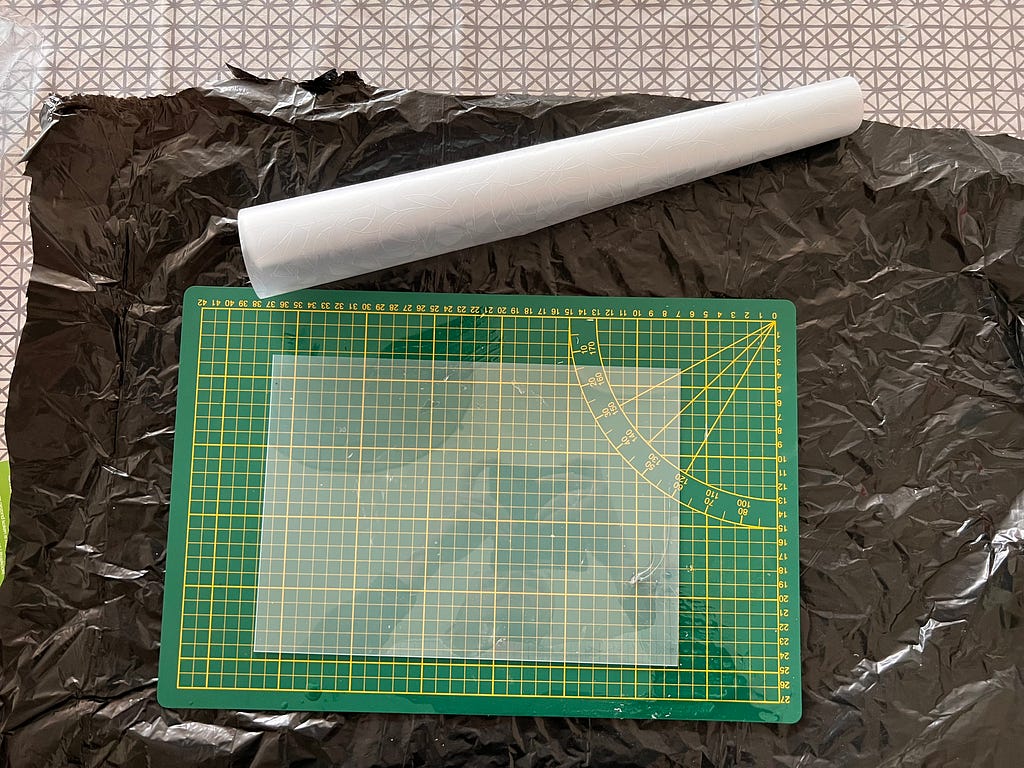
To create the glass texture:
- Place a window texture film on top of the plastic sheet.
- Put the 3D printed frame on top.
Now we need to temporarily fix the frame so it does not float when resin is poured.
I used 3M spray adhesive, which works similar to Post-it glue. It sticks well but can still be removed later.
Alternative:
A hot glue gun also works if you add tiny dots under the frame.

Step 4: Preventing Color Bleed (The Trick)
If you look at the design you will see many small chambers.
The biggest beginner problem is color bleed between these chambers.
Even though the frame is glued down, the patterned plastic sheet is not perfectly flat. Resin can easily sneak underneath.
Instead of fighting this, we solve it in a simple way.
We pour the resin in two stages.
First Layer — Transparent Seal
Mix a small amount of clear resin.
Using a pipette or carefully pouring from a cup, add a very thin layer across the design.
Just enough to:
- seal the bottom
- fill tiny gaps
- create a flat base
Do not fill the chambers yet.
Let this cure completely.
Depending on the resin this can take 24–48 hours.
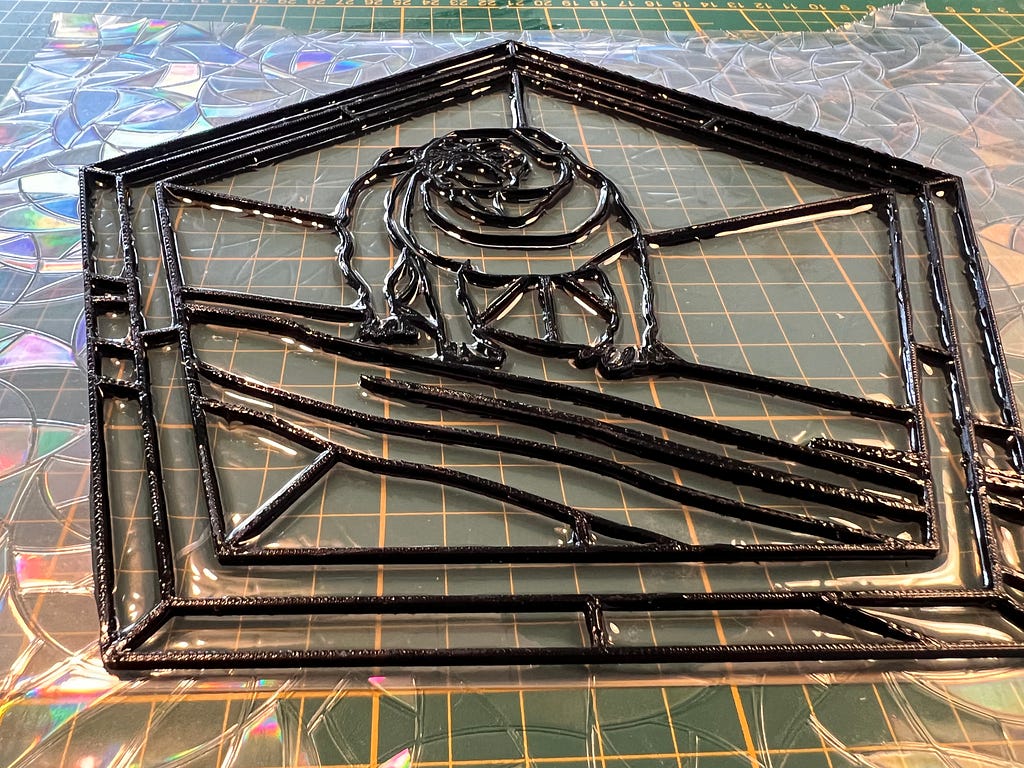
Second Layer — Adding Color
Once the base layer is hardened, the chambers are sealed.
Now you can safely fill them with colored resin.
Use:
- resin pigments
- transparent oil colors
- mica powder
- or other resin colorants
I experimented with:
- oil paint
- fine sand-like pigments
- transparent dyes
The oil colors worked surprisingly well because they stay translucent and keep the stained glass effect.
Using the pipette makes it easy to carefully fill each chamber.
Feel free to experiment with color mixes.
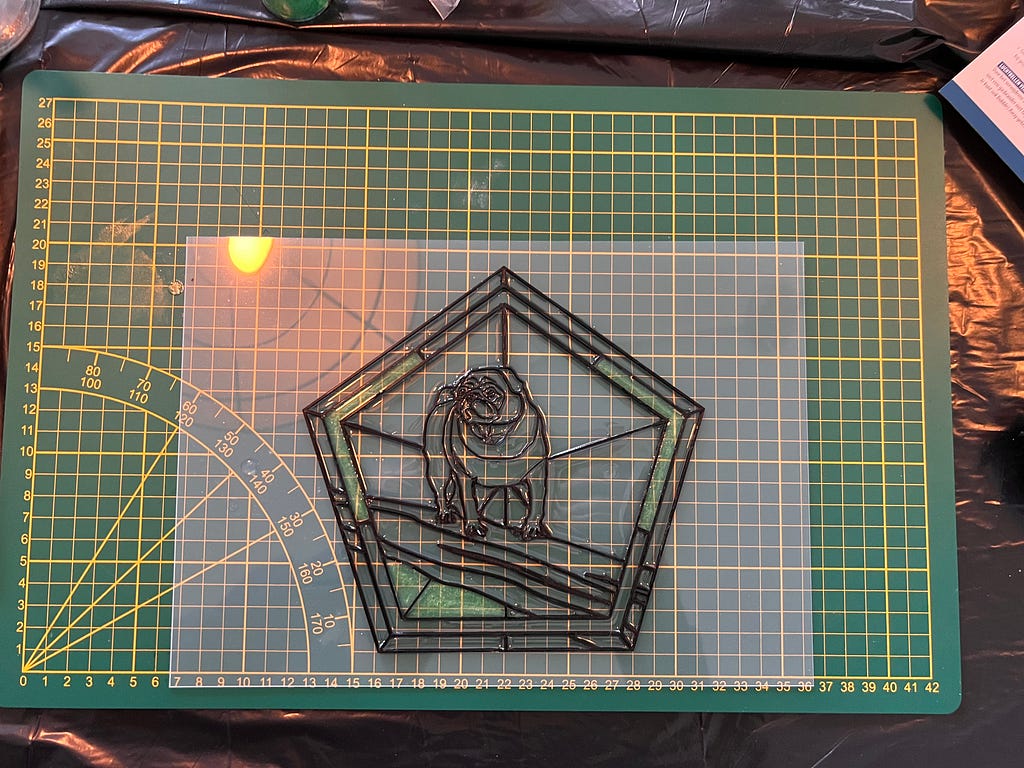
Step 5: Curing and Removing the Piece
Let the piece cure completely.
I usually leave it 48 hours to be safe.
Once cured:
- Carefully peel the piece off the plastic sheet
- Remove any glue residue
- Trim edges if needed
The result is a lightweight stained glass style artwork made from resin and a 3D printed frame.
You can:
- hang it in a window
- place it in a frame
- give it as a custom gift
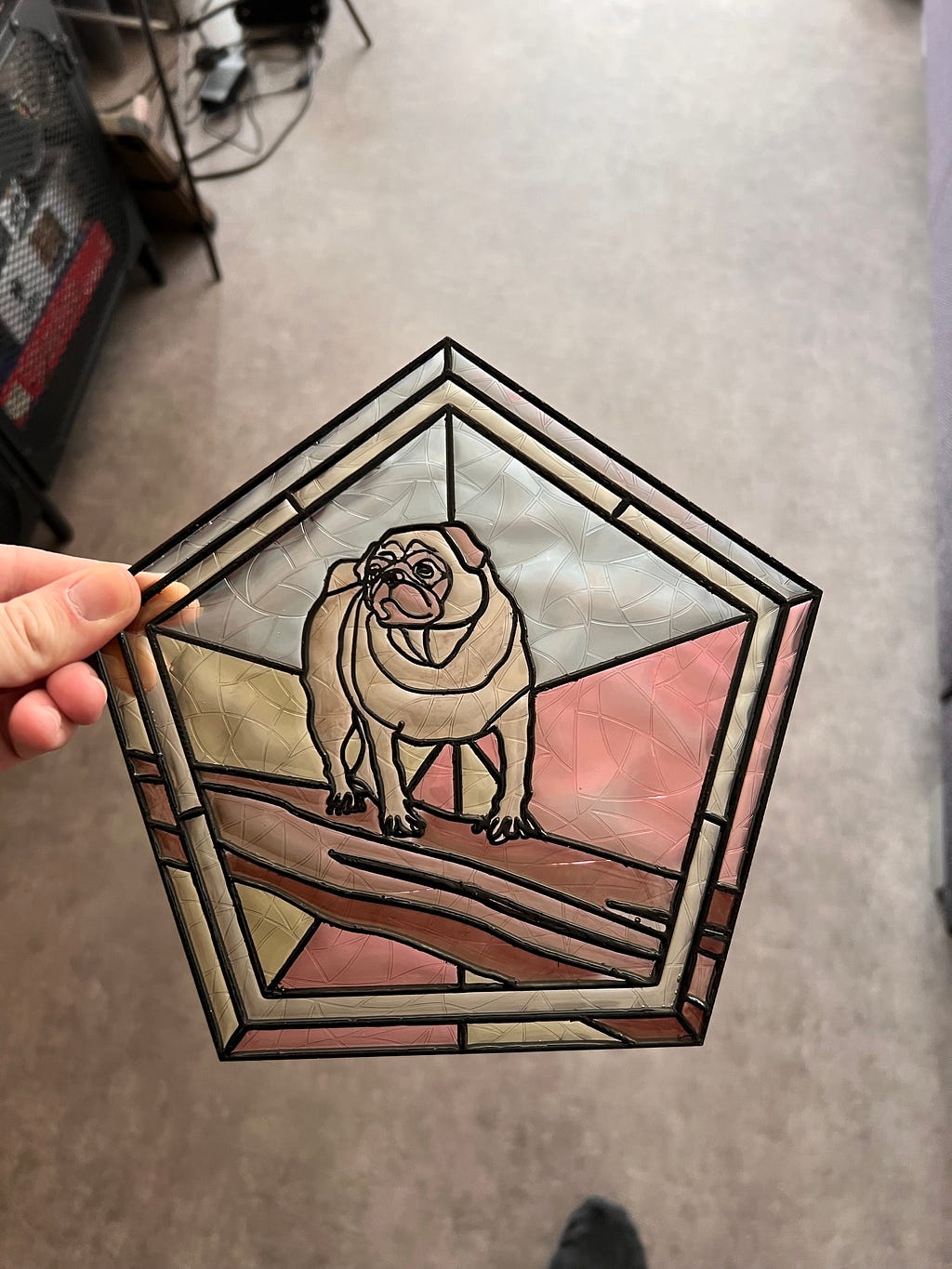
Final Result
The effect is surprisingly close to real stained glass, especially when sunlight shines through the colors.
And the best part is that you can turn almost any drawing into a stained glass piece using this method.
I already made several versions using different photos and designs, and each one looks unique.
Materials I Used
The links below are affiliate links. If you buy through them it helps support my projects at no extra cost to you.
- Resin US | EU
- Resin Pigments US | EU
- Pipettes / Droppers US | EU
- Window Texture Film US | EU
- Plastic Sheet US | EU
- 3M Glue Spray US | EU