
Sudoku Ultimato: What I Learned Building a Multi-Language App for Two App Stores
8 Feb 2026
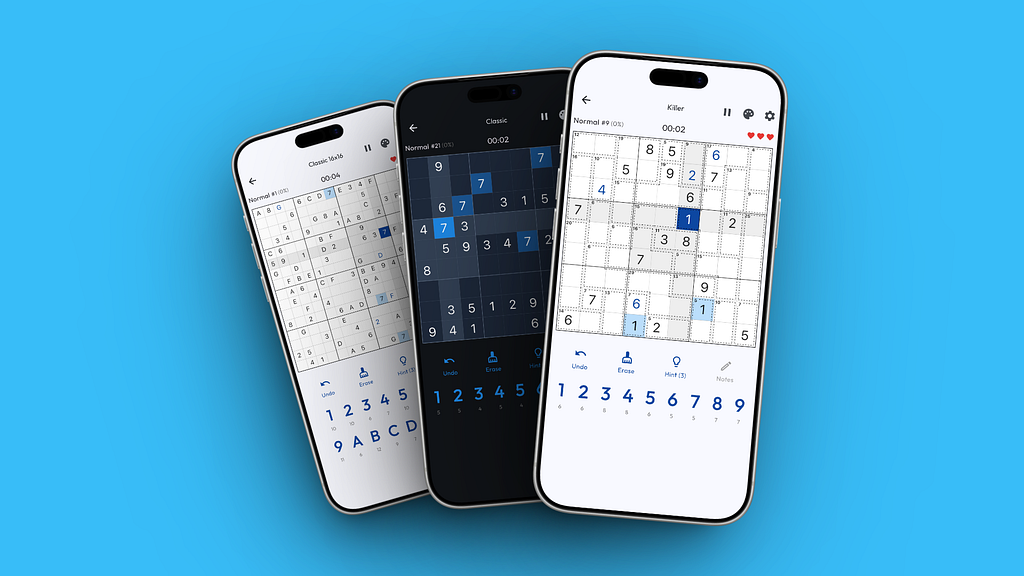
Sudoku Ultimato started for a very simple reason.
My dad wanted to play Sudoku without subscriptions, pop ups, or constant interruptions. At the same time, I was getting annoyed by most Sudoku apps myself. Ads everywhere, features locked behind paywalls, missing game modes, no landscape support, and barely any statistics.
I wanted Killer Sudoku, different grid sizes, proper stats, and a game that stays out of your way. So I decided to build it myself.
From a first app to a real product
The year before, I shipped my first app to the App Store, so Flutter was already familiar. This time I wanted to go further. Android support, proper localisation, and a shared leaderboard system.
That last one changed things quickly. A leaderboard means shared puzzles, shared progression, and shared rules. That also means authentication, data storage, and multiple environments. On mobile, that was all new for me.
Planning helped, but scope still grew
I started with a simple list of features. Game modes, grid sizes, offline play, stats, localisation, leaderboards. I did not know how everything would look yet, but writing it all down helped define what I was actually building.
I used Cursor to turn that list into a staged plan. Not to generate code, but to think through dependencies and decide what had to exist first.
Even with a plan, I underestimated the scope.
Sudoku sounds small. But once you add multiple grid sizes, Classic and Killer modes, statistics, leaderboards, and localisation, the complexity grows fast. Every new grid size multiplies the amount of logic, UI states, testing, screenshots, and store assets. Every new mode does the same.
The core game stayed simple. Everything around it did not.
Sudoku logic and why Killer is harder than it looks
Classic Sudoku generation is well understood. I built a generator that creates puzzles at different difficulty levels and guarantees a single valid solution.
Killer Sudoku was a different story. Cages, sums, and extra constraints meant more calculations and more edge cases. Performance became an issue quickly, so caching was necessary to keep generation fast.
AI helped with some logic, but things like drawing cage borders and dotted lines had to be implemented manually. Flutter widgets also get deeply nested very quickly. Once files became too large, both refactoring and AI assisted changes became painful. Splitting widgets and logic into smaller files helped a lot.
Deterministic puzzles and the leaderboard problem
Once the game worked, I needed a way to make leaderboards fair. Everyone should play the same puzzles in the same order.
I went with a deterministic seed based puzzle system. Each level is defined by a seed string that includes grid size, mode, difficulty, and a fingerprint of the generation config. The same seed always produces the same puzzle.
That worked, until testing revealed a hard truth. Small bugs or tweaks in the generator can change puzzle output. If someone sets a high score on a level and the puzzle changes later, that score is no longer comparable.
The solution was to mark affected levels as legacy. Existing scores stay visible, but new players will not get that version anymore. Players can replay the updated level and compete on the current board.
Not perfect, but fair.
Firebase, environments, and learning about costs
For leaderboards and accounts, I used Firebase. Flutter flavors made it easy to separate development, staging, and production environments.
Each environment has its own Firebase project, authentication setup, and database. App Check helped prevent unauthorised access. Registering both Android and iOS apps across three environments took time, but it was manageable.
Firebase is easy to start with, but you quickly notice that reads and writes cost money. That forces you to think carefully about when data is actually needed and when it is not.
Testing and automated screenshots
At first, I only tested on iOS with friends and family. I did not own an Android device yet, so I focused on preparing the App Store release.
Screenshots were fully automated using integration tests. Each test followed a scenario, like opening Killer Sudoku, filling part of the board, and capturing a screenshot. One command generated all screenshots in the correct sizes for both stores and all languages.
That automation paid off later.
Figma, translations, and manual work
For store visuals, I built a Figma template with device masks and text overlays. I used variables and a translation table to handle multiple languages.
The setup worked, but it was still tedious. Every non English screenshot had to be manually swapped. Figma variables also require a paid plan. Twenty dollars a month for one feature feels expensive if you only need it occasionally, although the tool itself is solid.

Naming turned out to be more important than I expected. At first my screenshots had descriptive filenames, but later I switched to a strict numeric format like 01_image.png, 02_image.png, and so on.
This keeps the screenshot order stable in App Store Connect, even when replacing images or adding new languages.
App Store release and first rejection
I filled in App Store metadata manually. With three languages, it was fine. With more, it would not scale.
The first review was rejected because the app failed to load on an older device. The cause turned out to be Firebase related. After fixing that, the app was approved without further issues.
Android testing and the Play Store process
I bought a cheap Android phone to test properly. Some UI elements needed adjustment due to system overlays, but nothing major.
Publishing on the Play Store was more involved. You need twelve testers active for fourteen days before you can go public. Free tester communities did not work well for me, so I paid fourteen dollars for a test group via testerscommunity.com.
They provided real feedback and the app was approved shortly after.
Turning requirements into a product site
Both stores require a support page and a privacy policy. Instead of doing the bare minimum, I turned this into a full product website with features, screenshots, FAQs, and store links. Everything was translated into multiple languages.

Videos and why they take time
Store listings convert better with videos, but Sudoku is not very visual.
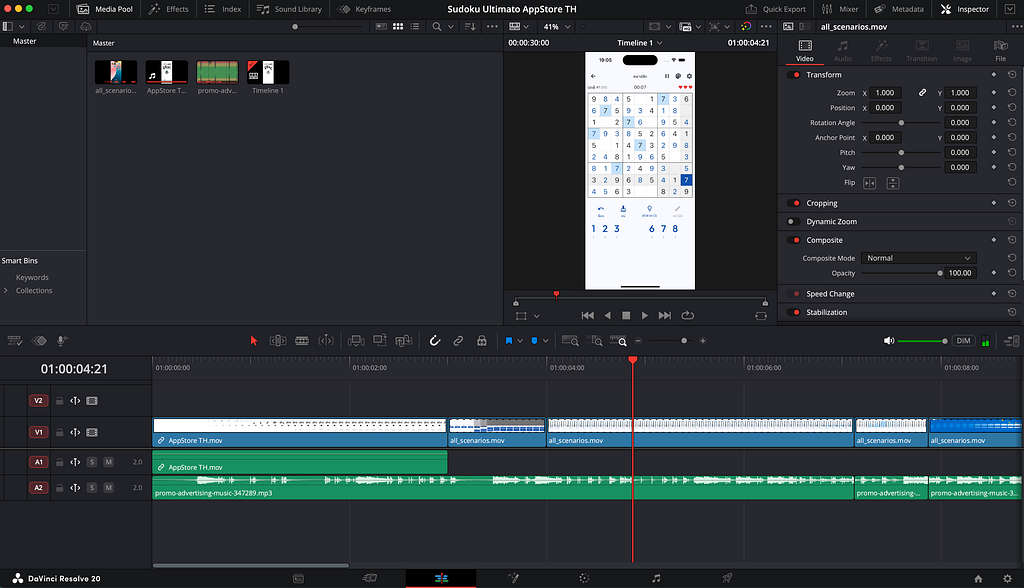
I created scripted scenarios instead. Timed inputs, feature highlights every few seconds, and a fully localized UI. Each language and device ended up with its own video.
Editing was done in DaVinci Resolve. Once one language was finished, duplicating the project and swapping video sources made the rest manageable. Exporting still required different formats for Apple and Google.
Scope lessons learned
The biggest lesson from this project is scope.
Sudoku itself is small. A Sudoku app is not.
Every new grid size multiplies complexity. Every new game mode doubles testing effort. Every new language multiplies store assets, screenshots, videos, and metadata. Even small features have a long tail when you support two platforms and multiple locales.
If I did this again, I would ship fewer modes first, validate faster, and expand later. Not because the work was wasted, but because the effort grows much faster than you expect.
Where it stands now
Sudoku Ultimato is live on both app stores. A recent update added five more languages, and that made the weak points obvious. Updating screenshots in Figma is still manual. Store descriptions reset fields on every release. Everything has to be filled in again, now eight times.
Fastlane would save a lot of time here, and it is something I will definitely use for future updates.
Links
If you are curious: