MediaPipe Face Mesh: All 478 Landmark Points
29 Apr 2026(Updated 31 May 2026)

If you have ever worked with MediaPipe Face Mesh, you know the feeling: you need the index for the left eye corner, you know it exists somewhere in those 478 points, but finding it means scrolling through documentation or guessing until something looks right.
This page is the reference I wish existed when I started building face-controlled browser games. Every facemesh landmark number, grouped by region, with code you can copy straight into your project. Consider it a complete face mesh indices cheat sheet.
Quick Lookup: Most Searched Landmarks#
These are the indices developers search for most often. If you came here from Google, this is probably what you need.
| Landmark | Index | Common Use |
|---|---|---|
| Left eye outer corner | 33 | Blink detection, eye tracking |
| Right eye outer corner | 263 | Blink detection, eye tracking |
| Left eye inner corner | 133 | Eye width calculation |
| Right eye inner corner | 362 | Eye width calculation |
| Mouth left corner | 61 | Smile detection |
| Mouth right corner | 291 | Smile detection |
| Upper lip center | 13 | Mouth open detection |
| Lower lip center | 14 | Mouth open detection |
| Nose tip | 4 | Face direction, head pose |
| Chin | 152 | Jaw tracking, face height |
| Left eyebrow outer | 70 | Eyebrow raise detection |
| Right eyebrow outer | 300 | Eyebrow raise detection |
| Forehead center | 10 | Face bounding, head tilt |
| Left cheek | 234 | Face width calculation |
| Right cheek | 454 | Face width calculation |
Try It: Interactive Landmark Explorer#
Want to see these landmarks on your own face? The explorer below lets you hover over any of the 478 points, filter by region, and copy indices straight from the interface.
Open Face Mesh Explorer in Fullscreen
All 478 Landmarks by Face Region#
MediaPipe Face Mesh divides the face into 478 landmark points. Below they are grouped by region so you can find what you need without scanning the entire mesh.
Eyes (Landmarks for Eye Tracking and Blink Detection)#
The eye region uses the most landmarks of any area because of the detail needed for iris and eyelid tracking.

Left Eye Contour
| Part | Indices |
|---|---|
| Upper eyelid | 246, 161, 160, 159, 158, 157, 173 |
| Lower eyelid | 33, 7, 163, 144, 145, 153, 154, 155, 133 |
| Outer corner | 33 |
| Inner corner | 133 |
Right Eye Contour
| Part | Indices |
|---|---|
| Upper eyelid | 466, 388, 387, 386, 385, 384, 398 |
| Lower eyelid | 263, 249, 390, 373, 374, 380, 381, 382, 362 |
| Outer corner | 263 |
| Inner corner | 362 |
Left Iris
| Part | Indices |
|---|---|
| Center | 468 |
| Ring | 469, 470, 471, 472 |
Right Iris
| Part | Indices |
|---|---|
| Center | 473 |
| Ring | 474, 475, 476, 477 |
Eyebrows#

Left Eyebrow
| Part | Indices |
|---|---|
| Full contour | 70, 63, 105, 66, 107, 55, 65, 52, 53, 46 |
| Outer point | 70 |
| Inner point | 107 |
| Peak (highest) | 52 |
Right Eyebrow
| Part | Indices |
|---|---|
| Full contour | 300, 293, 334, 296, 336, 285, 295, 282, 283, 276 |
| Outer point | 300 |
| Inner point | 336 |
| Peak (highest) | 282 |
Nose#

| Part | Indices |
|---|---|
| Tip (pronasale) | 4 |
| Bridge | 6, 197, 195, 5, 168 |
| Columella | 1 |
| Left nostril | 102, 49, 48, 115 |
| Right nostril | 331, 279, 278, 344 |
| Left alar (wing) | 129, 198, 217, 209, 131 |
| Right alar (wing) | 358, 429, 437, 420, 360 |
| Subnasale (bottom center) | 2, 326, 97 |
Mouth and Lips#

| Part | Indices |
|---|---|
| Upper lip outer | 61, 185, 40, 39, 37, 0, 267, 269, 270, 409, 291 |
| Upper lip inner | 78, 191, 80, 81, 82, 13, 312, 311, 310, 415, 308 |
| Lower lip outer | 61, 146, 91, 181, 84, 17, 314, 405, 321, 375, 291 |
| Lower lip inner | 78, 95, 88, 178, 87, 14, 317, 402, 318, 324, 308 |
| Left corner | 61 |
| Right corner | 291 |
| Upper center | 13 |
| Lower center | 14 |
| Center of lips (closed) | 0 |
Jawline and Face Oval#
The face oval defines the outer boundary of the face mesh. These landmarks trace the contour from the right temple, down the jaw, and up to the left temple.

| Part | Indices |
|---|---|
| Face oval (full) | 10, 338, 297, 332, 284, 251, 389, 356, 454, 323, 361, 288, 397, 365, 379, 378, 400, 377, 152, 148, 176, 149, 150, 136, 172, 58, 132, 93, 234, 127, 162, 21, 54, 103, 67, 109 |
| Chin point | 152 |
| Left jaw | 234, 93, 132, 58, 172, 136, 150, 149, 176, 148 |
| Right jaw | 454, 323, 361, 288, 397, 365, 379, 378, 400, 377 |
| Left temple | 21, 54, 103, 67, 109, 10 |
| Right temple | 251, 284, 332, 297, 338, 10 |
Forehead#
MediaPipe Face Mesh does not have dense forehead coverage. The available points sit along the hairline and between the eyebrows.
Note: The forehead has the sparsest landmark coverage of any face region. If your application needs precise forehead tracking (for example, measuring wrinkles or placing virtual accessories), consider interpolating between the available points or combining face mesh data with a separate detection model.

| Part | Indices |
|---|---|
| Center top | 10 |
| Between eyebrows (glabella) | 9, 151 |
| Left side | 21, 54, 67, 68, 69, 71, 103, 104, 108, 109 |
| Right side | 251, 284, 297, 298, 299, 301, 332, 333, 337, 338 |
Cheeks#
Note: Cheek landmarks primarily trace the surface contour and cheekbone ridge. The interior cheek area has limited coverage. For applications like blush placement or cheek-puff detection, you may need to interpolate between the listed surface points and the mouth/jaw landmarks.

| Part | Indices |
|---|---|
| Left cheek surface | 36, 205, 206, 207, 187, 123, 116, 117, 118, 119, 100, 47 |
| Right cheek surface | 266, 425, 426, 427, 411, 352, 345, 346, 347, 348, 329, 277 |
| Left cheek bone | 234, 127, 162 |
| Right cheek bone | 454, 356, 389 |
Landmark Distribution by Face Region#
Understanding how the 478 landmarks are distributed helps you know where the mesh is most and least detailed.
| Region | Approximate Count | Detail Level |
|---|---|---|
| Eyes + Iris | ~90 | Very high |
| Mouth + Lips | ~60 | Very high |
| Nose | ~30 | High |
| Eyebrows | ~22 | Medium |
| Jawline + Face oval | ~36 | Medium |
| Cheeks | ~24 | Medium |
| Forehead | ~23 | Low |
| Tessellation (mesh fill) | ~193 | Internal mesh |
The eyes and mouth have the densest coverage because they carry the most expression data. The forehead is sparse, which matters if you are trying to detect forehead wrinkles or headband-style accessory placement.
How to Access Landmarks in JavaScript#
If you are setting up MediaPipe Face Mesh for the first time, check out my step-by-step tutorial on MediaPipe hand and face tracking. The code below assumes you already have the detection pipeline running.
Using the MediaPipe Tasks API (recommended)#
Drawing Landmarks on Canvas#
Practical Examples#
Detect if Someone is Looking Left or Right#
Calculate Face Tilt Angle#
Measure Distance Between Any Two Landmarks#
Real-World Example: Face-Controlled Browser Games#
I use these exact landmarks in several browser projects where your face and hands become the controller:
- Eyebrow Tetris - Raising your eyebrows (landmarks 52 and 282) rotates the pieces, and tilting your head (landmarks 33 and 263) moves them left and right.
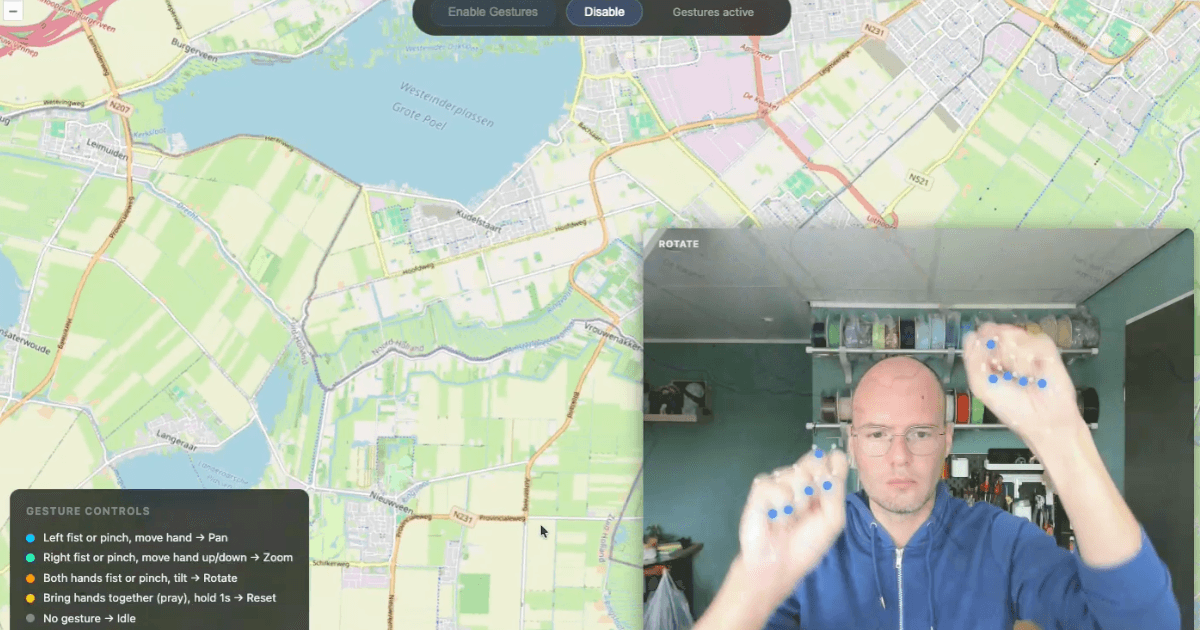
- Map Gesture Controls - Hand tracking to pan and zoom OpenLayers maps without touching the screen. I wrote about the implementation in Gesture Controls with OpenLayers and MediaPipe.
- Pug's Hunt - A webcam-controlled Duck Hunt clone using MediaPipe hand tracking to aim and shoot.
You can also try the interactive landmark explorer I built to go with this article. It lets you hover over any point on your own face to see its index, region, and coordinates.
The key insight: you do not need all 478 landmarks for most applications. Pick 5 to 10 strategic points and build your interaction from there.
Tips for Working with Face Mesh Landmarks#
Coordinate system: All coordinates are normalized between 0 and 1. Multiply by your canvas width and height to get pixel positions. The z coordinate represents depth relative to the face center, with negative values meaning the point is closer to the camera.
Performance: Reading all 478 landmarks every frame is cheap. The expensive part is the model inference, not the data access. Once you have the landmarks array, index lookups are essentially free.
Mirroring: Webcam feeds are typically mirrored. If your landmark positions seem flipped, check whether your video element or canvas has a CSS transform: scaleX(-1). The landmark data itself is based on the raw video, not the mirrored display.
Threshold tuning: Every threshold in this article (0.02 for mouth open, 0.2 for blink, etc.) is a starting point. Faces vary. Build in a calibration step or let users adjust sensitivity.
Multiple faces: Set numFaces in the FaceLandmarker options to detect more than one face. Each face gets its own landmark array in the results.
Download MediaPipe Model Files (Alternative Mirror)#
The official MediaPipe model files are hosted on Google Cloud Storage (storage.googleapis.com). In some regions this domain is blocked or unreliable, which means the models fail to load at runtime. If you cannot reach the official URLs, you can download the same files from the GitHub mirror below.
Available Model Files#
| File | Type | Precision | Mirror |
|---|---|---|---|
| face_landmarker.task | Face mesh (478 landmarks) | float16 | GitHub release |
| hand_landmarker.task | Hand landmarks (21 points) | float16 | GitHub release |
Download with wget or curl#
Face Landmarker:
wget https://github.com/sanderdesnaijer/mediapipe-model-mirrors/releases/download/v1/face_landmarker.task
Hand Landmarker:
wget https://github.com/sanderdesnaijer/mediapipe-model-mirrors/releases/download/v1/hand_landmarker.task
Or use them directly in your code by replacing the modelAssetPath:
modelAssetPath: "https://github.com/sanderdesnaijer/mediapipe-model-mirrors/releases/download/v1/face_landmarker.task"
Official Download URLs#
If you can reach Google Cloud Storage, the official URLs are the recommended source. They always point to the latest version:
- Face Landmarker:
https://storage.googleapis.com/mediapipe-models/face_landmarker/face_landmarker/float16/latest/face_landmarker.task - Hand Landmarker:
https://storage.googleapis.com/mediapipe-models/hand_landmarker/hand_landmarker/float16/latest/hand_landmarker.task
License#
MediaPipe is open source under the Apache 2.0 license. The mirrored model files are redistributed with the original license and attribution intact. See the LICENSE file included in the GitHub release.
Mirror last updated: May 2026. If the official models have been updated since then, download from the official URLs above and consider opening an issue on the mirror repo so it can be refreshed.opening an issue on the mirror repo so it can be refreshed.
Frequently Asked Questions
- How many landmarks does MediaPipe Face Mesh have?
MediaPipe Face Mesh detects 478 landmarks on each face. This includes 468 face surface points and 10 additional iris points (5 per eye). The iris landmarks were added in a later update to the original 468-point model.
- What are landmarks 33 and 263 in MediaPipe Face Mesh?
Landmark 33 is the outer corner of the left eye and landmark 263 is the outer corner of the right eye. These two points are commonly used for blink detection, eye tracking, and calculating face tilt angle.
- What are landmarks 13 and 14 used for?
Landmark 13 is the center of the upper lip and landmark 14 is the center of the lower lip. The vertical distance between these two points is the simplest way to detect whether someone's mouth is open. A distance greater than roughly 0.02 (in normalized coordinates) usually indicates an open mouth.
- What are landmarks 61 and 291?
Landmark 61 is the left mouth corner and landmark 291 is the right mouth corner. Together they define the width of the mouth and are used for smile detection by measuring whether the corners rise above the center of the lips.
- What coordinate system does MediaPipe Face Mesh use?
All landmark coordinates are normalized between 0 and 1 relative to the image dimensions. The x axis runs left to right, y runs top to bottom, and z represents depth relative to the center of the face. To convert to pixel coordinates, multiply x by image width and y by image height.
- Can MediaPipe Face Mesh track multiple faces?
Yes. Set the numFaces option to the number of faces you want to detect (up to 4 is practical for real-time performance). Each detected face returns its own separate array of 478 landmarks.
- Is MediaPipe Face Mesh free to use?
Yes. MediaPipe is open source under the Apache 2.0 license. It runs entirely in the browser using WebAssembly and WebGL, so no data is sent to any server. This makes it suitable for privacy-sensitive applications.
- Where can I download face_landmarker.task if storage.googleapis.com is blocked?
If
storage.googleapis.comis blocked or unreliable in your region, you can download the sameface_landmarker.taskfile from the GitHub mirror linked in the download section of this article. The file is identical to the official float16 model. You can either download it manually and serve it from your own infrastructure, or point yourmodelAssetPathdirectly at the GitHub release URL. The model is redistributed under the Apache 2.0 license.- Is there an alternative download mirror for MediaPipe hand_landmarker.task?
Yes. The
hand_landmarker.taskmodel file is mirrored on GitHub alongside the face landmarker model. Both are the float16 versions, which are the recommended models for browser use. See the download section above for direct links andwgetcommands. If you are setting up hand tracking for the first time, the hand and face tracking tutorial on this site walks through the full setup including model loading.
Resources
- MediaPipe Face Mesh Landmark Explorer
- Guide: MediaPipe hand and face tracking in the browser
- See it in action: Eyebrow Tetris
- Official MediaPipe Face Landmarker documentation
- MediaPipe GitHub repository
- Read more about the MediaPipe Face Landmarker Explorer project
- Download MediaPipe model files (alternative mirror)