ESP32 OLED Pinball with Capacitive Touch
17 May 2026

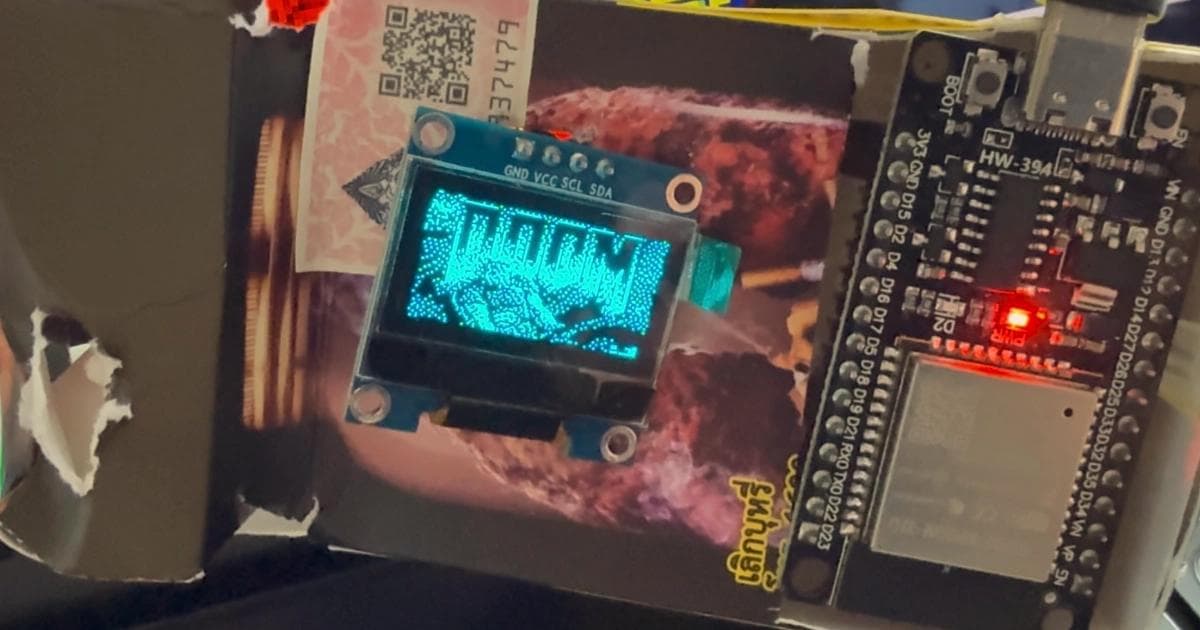
I was on holiday with nothing but an ESP32, a tiny OLED display, and a handful of jump wires. No buttons, no sensors, no breadboard. I wanted to make something fun with what I had, so I built a pinball machine.

Touch pins as flippers#
Since I didn't have a controller or buttons with me, I had to come up with another way of controlling the flippers. The key trick was the ESP32's built-in capacitive touch pins. Touch a bare GPIO pin with your finger and the chip picks up the change in capacitance. No buttons, no extra components. I picked two pins on opposite sides of the board and mapped them to left and right flippers. It works surprisingly well for a game that needs fast, responsive input.
Ball physics on a microcontroller#
The game is written from scratch in C++ on top of the Adafruit SSD1306 driver. All game logic, physics, and rendering are custom. The ball has real physics with gravity, friction, and collision detection against seven bumpers and a set of guide walls. The display is a 128x64 monochrome OLED rotated 90 degrees for vertical gameplay, so the game actually runs in a 64x128 pixel space. Every frame, the ball position updates, collisions resolve, and a 1024-byte pixel buffer flushes to the screen.
There is a title screen, score tracking, a ball counter, and a game-over flow. It plays like an actual pinball machine, just very small.
The cigarette case enclosure#
Holding a bare board while tapping pins was not great. The display shifted every time you touched something. I did not have a 3D printer with me, but I did have an empty cigarette case. A few cuts with scissors and everything fit inside. The touch pins stick out just enough to reach with your thumbs. There is even room left for a battery pack if I ever want to make it fully portable.
What I learned#
Building a game for a 64x128 screen forces you to think about every pixel. There is no room for anti-aliasing, no alpha blending, no floating-point shortcuts. Collision detection has to be tight because a one-pixel error is visible. The constraints made the project more fun, not less.
The source code is on GitHub if you want to flash it to your own ESP32. All you need is a board, an SSD1306 display, and four wires. It uses the same hardware as my ESP32 Mini OLED Webcam Stream, just running a game instead of a video feed.