1-Bit Doom: Stream DOS Games to ESP32 OLED Over WiFi
31 May 2026(Updated 14 Jun 2026)

I just finished Doom: The Dark Ages, and after replaying all the other Doom games I was completely hooked. Around the same time I had been working on my ESP32 Mini OLED Webcam Stream project, streaming a live webcam feed to a tiny 128x64 SSD1306 OLED over WiFi. That got me thinking: what else can we stream to this thing?
The obvious answer was Doom.

But does it run Doom?#
The classic question. And before even trying to run Doom on the ESP32, I wanted to answer a more basic one: is Doom even readable on a 128x64 monochrome display? There is no point in porting an entire game engine to a microcontroller if you cannot tell what is happening on screen.
Native ESP32 Doom ports do exist. Espressif published a proof-of-concept PrBoom port, but it requires an ESP32-WROVER module with 4MB of PSRAM. The Arduino Nano ESP32 (based on the ESP32-S3) can also run it. I have a basic ESP32 DevKit without PSRAM, so running Doom natively was not an option with the hardware I had.
So instead of porting the game, I built something more generic. The project uses js-dos to run any DOS game in the browser and streams the dithered video output to the ESP32 over WebSocket. The ESP32 does not run Doom or any game. It just acts as a tiny wireless monitor. Doom was my test case, but the system works with any .jsdos game bundle you drag and drop into the browser.
This let me focus on the actual question: can you play Doom on a 1-bit screen?
Can you play Doom on a 1-bit screen?#
A single frame has to survive being cropped, downscaled to 128x64 pixels, dithered to pure black and white, and packed into 1024 bytes. That is the entire SSD1306 display buffer. Every frame.
It turned out better than expected. You can navigate levels, spot enemies, and play through the game. The screen is tiny and the dithering loses detail in dark areas, but it is surprisingly playable.
Dithering makes all the difference#
Converting a full-color Doom frame to pure black and white is where most of the visual character comes from. The project supports five 1-bit dithering algorithms, and you can switch between them in real time and watch the result change on both the browser preview and the physical OLED. There are also controls for contrast, brightness, and cropping from all four sides, so you can frame just the gameplay area and cut out the HUD.
The five fall into two families. Ordered dithering (the Bayer matrices) compares each pixel against a fixed threshold pattern. It is stateless and fast, which keeps the frame rate high, but it leaves a visible repeating grid. Error diffusion (Floyd-Steinberg and Atkinson) pushes the rounding error of each pixel onto its neighbours, which looks more organic and detailed but costs more per frame. Here is how each one looks on the 128x64 screen.
Bayer 2x2 ordered dithering#
The smallest Bayer matrix. It only resolves a handful of brightness levels, so the pattern is bold and the image is the most abstract of the set. It is the fastest option and holds up in fast motion, but fine detail in Doom's darker rooms tends to disappear.

Bayer 4x4 ordered dithering#
A solid middle-ground option. Seventeen tonal levels give enough gradient to read shapes and enemies, while the ordered pattern stays cheap enough to keep frame rates up. It is a reasonable default, though in the end the higher contrast of Atkinson read better on this screen.

Bayer 8x8 ordered dithering#
The largest Bayer matrix resolves the most tonal steps and gives the smoothest gradients of the ordered family. On a tiny screen the fine texture can read as slight noise, but it preserves the most shading detail while still being fully stateless and fast.

Floyd-Steinberg error diffusion#
The classic error-diffusion algorithm. It spreads each pixel's rounding error to its neighbours, so there is no repeating grid and gradients look the smoothest of all five. The trade-off on a moving image is that the scattered dots can shimmer slightly from frame to frame, and it costs more to compute than the Bayer modes.

Atkinson error diffusion#
Atkinson diffuses only part of the error, which leaves more pure black and white and gives that punchy, high-contrast look from the original Macintosh. Edges and silhouettes pop, which actually helps readability of enemies in dark scenes, at the cost of losing some midtone shading.

Which one wins#
After trying all five on real gameplay, Atkinson was the winner. Its high contrast and deep blacks make enemies and edges pop on the tiny screen, which matters more than smooth shading when you are actually trying to play. The classic Macintosh look is a nice bonus.
The two runners-up were both solid. Bayer 2x2 held up well, the bold pattern is cheap and stays readable in motion. Floyd-Steinberg also looked good thanks to its smooth, grid-free gradients. The 4x4 and 8x8 Bayer modes are fine middle-ground options, but on this display the extra tonal levels did not add as much as Atkinson's contrast.
Browser-to-microcontroller streaming pipeline#
The whole streaming pipeline runs in the browser with vanilla JavaScript, zero dependencies, no build step. It captures the js-dos canvas, crops and resizes to 128x64, applies the selected dithering algorithm, packs the result into SSD1306 page format, and sends it over WebSocket. The ESP32 firmware copies the incoming bytes straight into the display buffer with memcpy. No clearDisplay, no drawBitmap, just a direct buffer write.
With backpressure protection on the WebSocket client, it sustains 15 to 20 FPS without frame buildup.
Holiday hardware constraints#
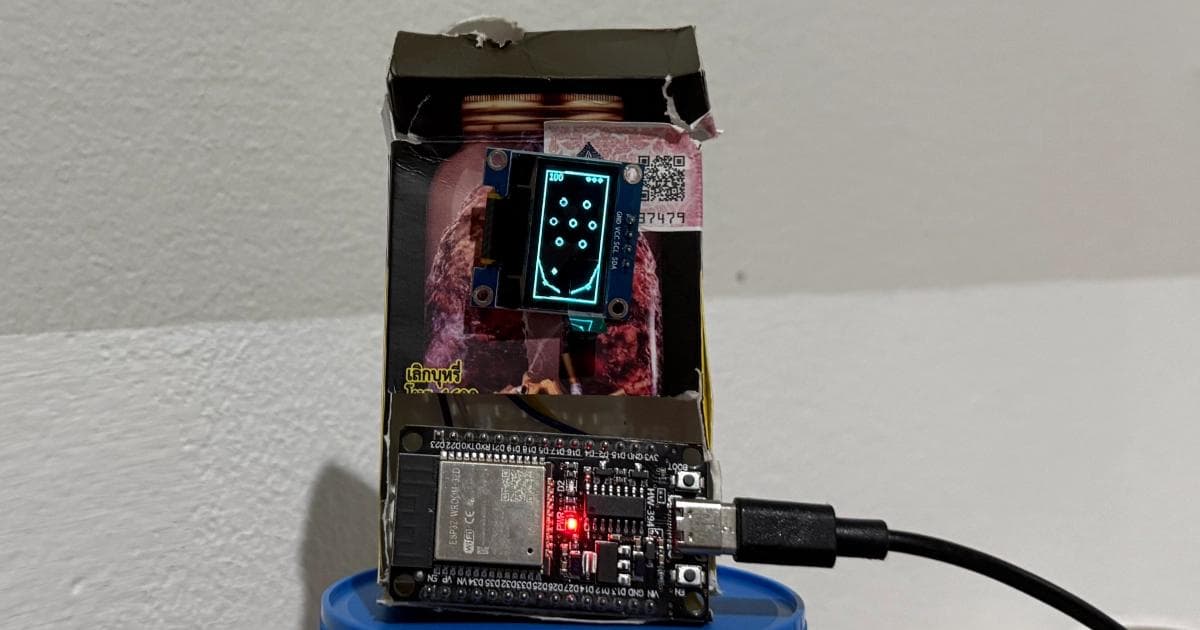
I started this project on holiday with nothing but an ESP32, the SSD1306 OLED display, and four jump wires. The same minimal setup from the webcam streaming project. No breadboard, no extra components. Just the board, the screen, and a USB cable for power. The same holiday where I built the ESP32 OLED Pinball game with the exact same hardware.
What's next#
Now that I know the display works for Doom, the interesting next step is actually running it natively on the hardware. That would mean an ESP32-S3 with PSRAM, since the existing Doom ports require it. This streaming project was the first step: proving the screen can handle the game before investing in the hardware to run it.
Frequently Asked Questions
- Does this project actually run Doom on the ESP32?
No. The ESP32 does not run any game. Doom (or any other DOS game) runs in the browser using js-dos. The ESP32 receives dithered 1-bit video frames over WebSocket and displays them on the SSD1306 OLED. It acts as a tiny wireless monitor.
- Can you run Doom natively on an ESP32?
Yes, but it requires an ESP32-WROVER with 4MB PSRAM or an ESP32-S3 board. Espressif has published a PrBoom port that runs on these modules. A basic ESP32 DevKit without PSRAM cannot run it.
- Can I stream other games besides Doom?
Yes. You can drag and drop any .jsdos file into the browser interface to load other DOS games. The streaming and dithering pipeline works the same way regardless of the game.
- Which dithering algorithm looks best for Doom?
After testing all five on real gameplay, Atkinson won. Its high contrast and deep blacks make enemies and edges stand out clearly on the 128x64 screen, which matters more than smooth shading when you are actually playing, and it gives that classic Macintosh look. Bayer 2x2 and Floyd-Steinberg were close runners-up: the 2x2 pattern is cheap and stays readable in motion, and Floyd-Steinberg has the smoothest grid-free gradients. The 4x4 and 8x8 Bayer modes are fine middle-ground options.
- What frame rate does the streaming achieve?
The system sustains 15 to 20 FPS over WiFi with WebSocket backpressure protection to prevent frame buildup.
Resources
- 1-Bit Doom source code on GitHub
- Espressif ESP32 Doom (PrBoom port)
- ESP32 Mini OLED Webcam Stream
- ESP32 OLED Pinball